Blog
Is APKMirror Safe to Use in 2025?
Wondering is apkmirror safe in 2025? Explore its security, verification, and risks. Learn to download APKs safely.

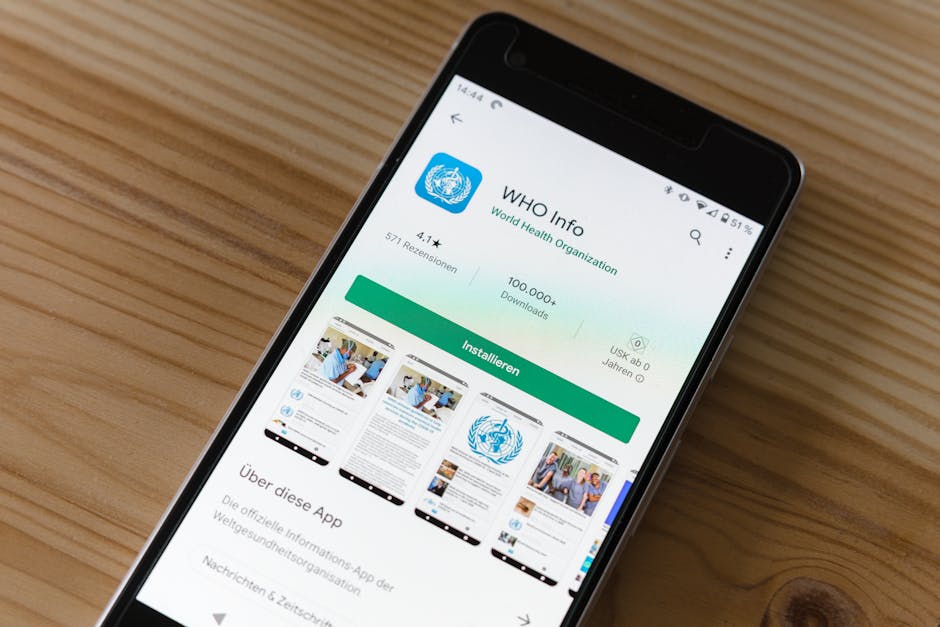
Is APKMirror Safe? Here’s What You Need to Know Before Downloading
Is APKMirror safe is one of the most common questions Android users ask before downloading an APK outside the Google Play Store — and for good reason.
Quick answer: Yes, APKMirror is generally safe. Here’s why:
| Safety Factor | APKMirror Status |
|---|---|
| Owned by reputable team | ✅ Run by the Android Police team |
| Manual APK verification | ✅ Every upload is reviewed before publishing |
| Cryptographic signature checks | ✅ Signatures verified against official developer keys |
| Pirated or cracked apps | ❌ Not allowed — free apps only |
| Paid or modded APKs | ❌ Strictly prohibited |
| Legal to use | ✅ Yes, DMCA compliant |
But “generally safe” doesn’t mean “zero risk.” Sideloading any APK — even from a trusted site — comes with considerations every Android user should understand before hitting that download button.
This is especially true if you’re a beginner video editor looking to download apps like KineMaster outside the official store. Knowing where your APK comes from, and how to verify it, can save you from real headaches.
I’m Faisal Shahzad, and through my work covering safe APK sources and Android app security at kinemasterappk.com, I’ve spent considerable time researching the question of is APKMirror safe for everyday users. Let’s walk through everything you need to make a confident decision.
What is APKMirror and Who Runs It?
To understand if a site is trustworthy, we first have to look at the people behind the curtain. APKMirror isn’t some anonymous corner of the dark web; it’s a highly transparent repository that has been around since 2014.
The site is owned and operated by Illogical Robot LLC, which is the same team that runs Android Police, one of the most respected news organizations in the mobile tech industry. Because their primary business relies on a reputation for journalistic integrity, they have a massive incentive to keep APKMirror clean. If they were caught distributing malware, their news site would lose all credibility overnight.
Unlike many other “mirror” sites that simply scrape the web for files, APKMirror is a curated library. It was built to solve a specific problem: the Google Play Store is often slow to roll out updates, and it doesn’t allow you to download older versions of apps if a new update breaks something on your phone. By providing a massive archive of 28,216 pages of free, manually verified APKs, they’ve become the “gold standard” for power users and developers alike.
Is APKMirror Safe? Understanding the Verification Process
When we ask, “is APKMirror safe,” we are really asking about their gatekeeping. How do they know a file hasn’t been tampered with? The answer lies in a mix of human oversight and high-level math.

How the site ensures is apkmirror safe for downloads
Every single APK file uploaded to the site undergoes a rigorous check. The most important tool in their arsenal is the cryptographic signature.
Think of a cryptographic signature as a digital wax seal. When a developer (like Google or Facebook) creates an app, they sign it with a private key. If even one line of code is changed by a hacker, that “seal” breaks. APKMirror uses this to their advantage:
- Signature Matching: For updates to existing apps, APKMirror ensures the new file is signed by the real developers. If the signature doesn’t match the version already in their database, the file is rejected immediately.
- New App Vetting: If a brand-new app is submitted, the team compares the signature against other apps by the same developer or verifies it against the version found on the official Google Play Store.
- Manual Review: Beyond the math, the team manually reviews submissions to ensure the app description matches what’s inside the package.
This multi-layered approach is why tech communities on Reddit and Stack Exchange frequently cite it as the only third-party site they trust. While we use technology to protect platform integrity, it’s the human element at APKMirror that really sets it apart. You can Read more about Trustpilot labels to see how external review platforms categorize these types of software vendors.
Why experts say is apkmirror safe for older versions
One of the biggest reasons we recommend APKMirror is for version rollbacks. Have you ever updated your favorite video editor only to find that the new UI is confusing or, worse, it crashes on your specific tablet?
Google Play doesn’t let you “go back in time.” APKMirror does. Because they verify the integrity of every version they host, you can safely download a version from six months ago knowing it hasn’t been modified since the day it was released. To stay safe while doing this, we always suggest using Browse without fear: The safest Android browsers for privacy to avoid malicious redirects during the download process.
Risks of Sideloading vs. Official App Stores
Even though APKMirror is a “good actor,” sideloading itself introduces a different security profile than using the Google Play Store.
The Play Store uses Google Play Protect, which constantly scans your device for “harmful behavior.” When you install an app from the official store, Google has already put it through strict rules and guidelines regarding data privacy and background permissions.
When you sideload, you are essentially telling your phone, “I trust this file more than I trust Google’s warnings.” You will likely see a scary pop-up saying, “Install from Unknown Sources?” This is a standard Android safety feature, not necessarily a sign that the file is bad. However, it places the responsibility entirely on you.
For those of us at kinemasterappk.com, we want to ensure you don’t accidentally click a “fake” download button (which are common in ads). If you’re nervous about the process, check out our How to install KineMaster APK safely: Your 2026 step-by-step survival guide for a visual walkthrough of the settings you need to toggle.
How to Manually Verify APK Safety
If you want to be 100% sure — and we always encourage a “trust but verify” mindset — you don’t have to take APKMirror’s word for it. You can perform your own security audit in under two minutes.
- Use VirusTotal: Before you install the file, head over to VirusTotal. Upload the APK file there, and it will be scanned by over 70 different antivirus engines (like Bitdefender, Kaspersky, and Symantec).
- Check the Hash: Each file has a unique “fingerprint” called a SHA-256 hash. You can compare the hash shown on APKMirror with the one generated by VirusTotal to ensure they are identical.
- Permission Analysis: During the installation, look at what the app is asking for. If a simple calculator app wants access to your “Contacts” and “SMS,” that’s a massive red flag, regardless of where you downloaded it.
By following these steps, you are adhering to the best practices mentioned in our Privacy Policy, ensuring your personal data stays on your device and away from bad actors.
Community Verdict and Common User Complaints
What does the rest of the internet think? If you look at the 3.1/5 Trustpilot rating, you might be concerned. However, digging into the reviews reveals a common theme: most complaints are about the user experience, not the safety of the files.
- The “Ad Trap” Issue: Many users complain about “ridiculous traps” on the site. Because APKMirror is free, it relies on ads. Sometimes, these ads look like “Download” buttons. This is a common issue on many high-traffic sites, and while annoying, it doesn’t mean the actual APKs are infected.
- Ad-Blocker Penalties: Some users are frustrated that the site makes them wait or blocks access if they use an ad-blocker. Again, this is a business decision, not a security risk.
- Malware Reports: Occasionally, a user will claim they “got a virus” from the site. However, these are often unverified and usually stem from clicking a deceptive ad rather than the actual file hosted by the APKMirror team.
You can Read more about Trustpilot review integrity to see how platforms try to weed out fake reports. For our part, we maintain a Disclaimer that while we provide links to these resources, users must always exercise their own judgment.
Frequently Asked Questions about APKMirror
Is APKMirror legal to use?
Yes. Since Google owns Android, they have designed the operating system to be “open,” meaning you have the legal right to install software from any source you choose. APKMirror stays legal by strictly following DMCA (Digital Millennium Copyright Act) guidelines. If a developer doesn’t want their free app hosted there, they can request a takedown, and APKMirror complies.
Does APKMirror host pirated or cracked apps?
Absolutely not. This is the biggest differentiator between APKMirror and “shady” sites. They have a strict no-piracy policy. You will not find “Premium Unlocked” versions of paid games or “Cracked” versions of subscription software there. They only host apps that are already free on the Play Store.
When should I use APKMirror instead of the Play Store?
There are four main scenarios:
- Geo-Restrictions: An app is available in the US but not in your country.
- Device Compatibility: The Play Store says your device is “incompatible,” but you know your hardware can handle it.
- Early Access: You want to try a “staged rollout” update that hasn’t hit your phone yet.
- Rollbacks: You need an older version because the new one is buggy.
We detail how we handle our own site data in our Cookie Policy, which mirrors the transparency you should expect from any reputable download site.
Conclusion
So, is APKMirror safe to use in 2025? After looking at the ownership, the cryptographic verification process, and the community feedback, our verdict is a resounding Yes. It remains the most trustworthy third-party repository for Android users.
However, the “safest” way to use it is to stay informed. Don’t click on flashy ads, always verify your downloads with VirusTotal, and only download apps from developers you recognize.
If you’re here because you’re looking for the best way to create stunning content, we’ve got you covered. At KineMaster APK, we provide reliable access to powerful video editing tools, including versions that unlock premium features like 4K export and professional templates without the usual watermark. We believe in giving creators the freedom to edit without limits.
Ready to start your next project? Visit KineMaster APK for premium video editing and see what you can create today!










 Best Kinemaster MODs9 months ago
Kinemaster for Beginners: Your First Video in 15 Minutes (No Experience Needed)

 Kinemaster Black2 years ago
KineMaster Black Download Latest Version v8.5

 Red Kinemaster Download2 years ago
Red Kinemaster Download Apk Latest Version v7.4.11.32428.GP Without Watermark
- Kinemaster Old Version2 years ago
KineMaster Old Versions 7.4.10.32410.GP Without Mark
- Kinemaster Diamond Mod Apk2 years ago
Kinemaster Diamond Mod Apk Download Pro Version V7.4.0.32260.GP
- Kinemaster without watermark2 years ago
Kinemaster without watermark Download Latest Version 4.15.5.17370.GP
- Best Kinemaster MODs11 months ago
kinemaster pro apk download 2025 full unlocked + no watermark kinemaster mod apk
- Kinemaster Blue Apk2 years ago
Kinemaster Blue Apk Download Without Watermark | Latest Version]