Blog
How to find a safe apk site without catching a digital cold
Discover the safest APK sites like APKMirror. Learn security checks, trusted alternatives, and precautions to sideloading without malware risks.


Why Finding a Safe APK Site Matters Before You Download Anything
The safest APK sites you can use right now are:
| Site | Best For | Safety Level |
|---|---|---|
| APKMirror | Official app versions, updates | ⭐⭐⭐⭐⭐ Highest |
| F-Droid | Open-source (FOSS) apps only | ⭐⭐⭐⭐⭐ Highest |
| Google Play Store | All mainstream apps | ⭐⭐⭐⭐⭐ Highest |
| Amazon Appstore | Popular apps, games | ⭐⭐⭐⭐ High |
| APKPure | Wider app selection | ⭐⭐⭐ Moderate |
A safe apk site can save your phone from malware — but the wrong one can quietly hand your data to strangers.
Here’s the reality: Android lets you install apps from outside the Google Play Store. That’s called sideloading. It’s useful when an app isn’t available in your region, when Play Store says your device is “not compatible,” or when you want an older version of an app. But sideloading also opens a door that bad actors love to walk through.
As one Android Central forum user put it, sketchy APK sites often modify apps before hosting them — injecting malware, hidden ads, or worse, phishing tools disguised as normal apps. A banking app downloaded from the wrong site once turned out to have a phishing tool attached to it. That’s not a hypothetical. It happened.
The good news? A handful of sites have built real trust with the Android community over years — and knowing which ones they are takes about two minutes to learn.
I’m Faisal Shahzad, and through my work at KineMaster APK I’ve spent years helping mobile creators find reliable, safe apk site options so they can access the tools they need without compromising their devices. Let’s break down exactly which sites you can trust and which ones to avoid.
The Gold Standard: Why APKMirror is the Ultimate Safe APK Site
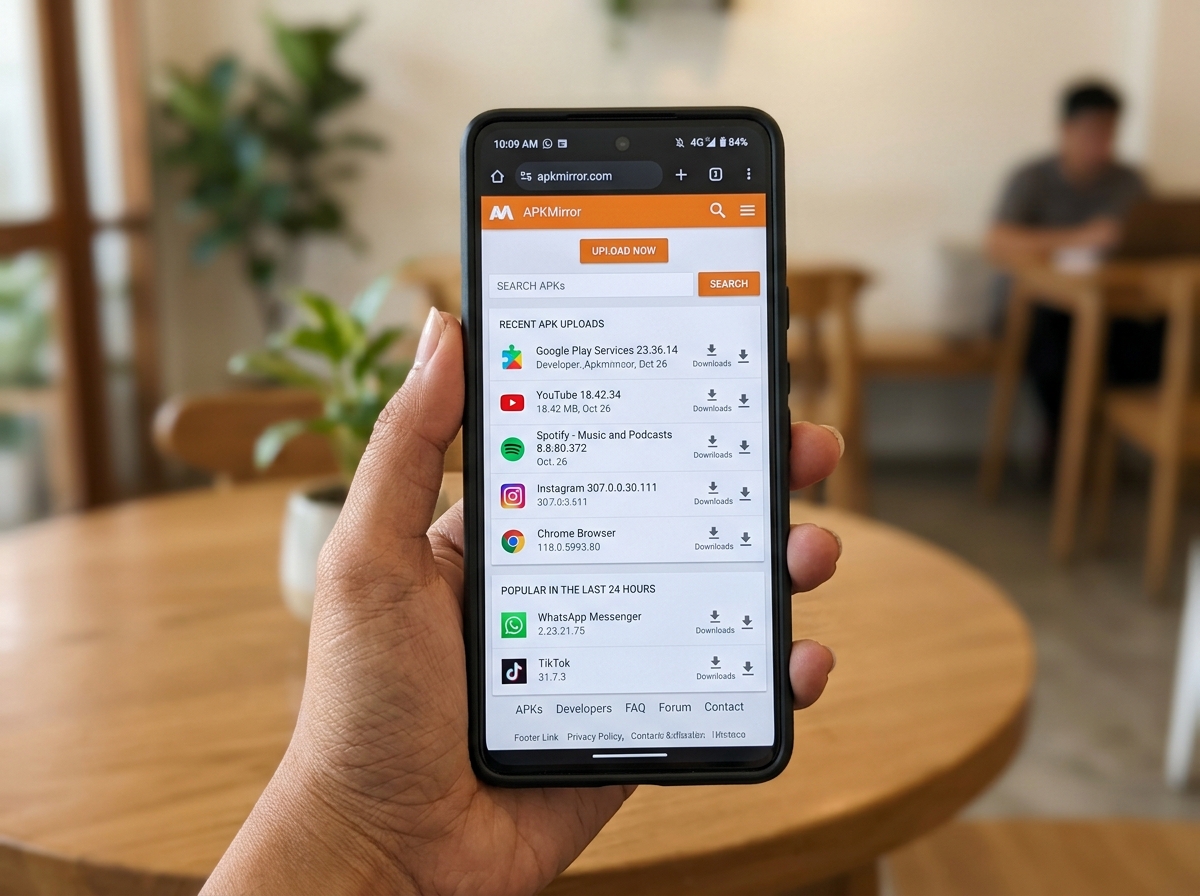
If you ask any seasoned Android enthusiast for a safe apk site, the first name out of their mouth is almost always APKMirror. It isn’t just a repository; it is a fortress of digital safety.
The Android Police Connection
One of the primary reasons we trust APKMirror is its lineage. It is owned and operated by the same team behind Android Police, one of the most respected news organizations in the mobile industry. This isn’t a faceless site run by anonymous hackers; it is managed by experts whose reputations depend on the security of the files they host.
Manual Verification and Signature Matching
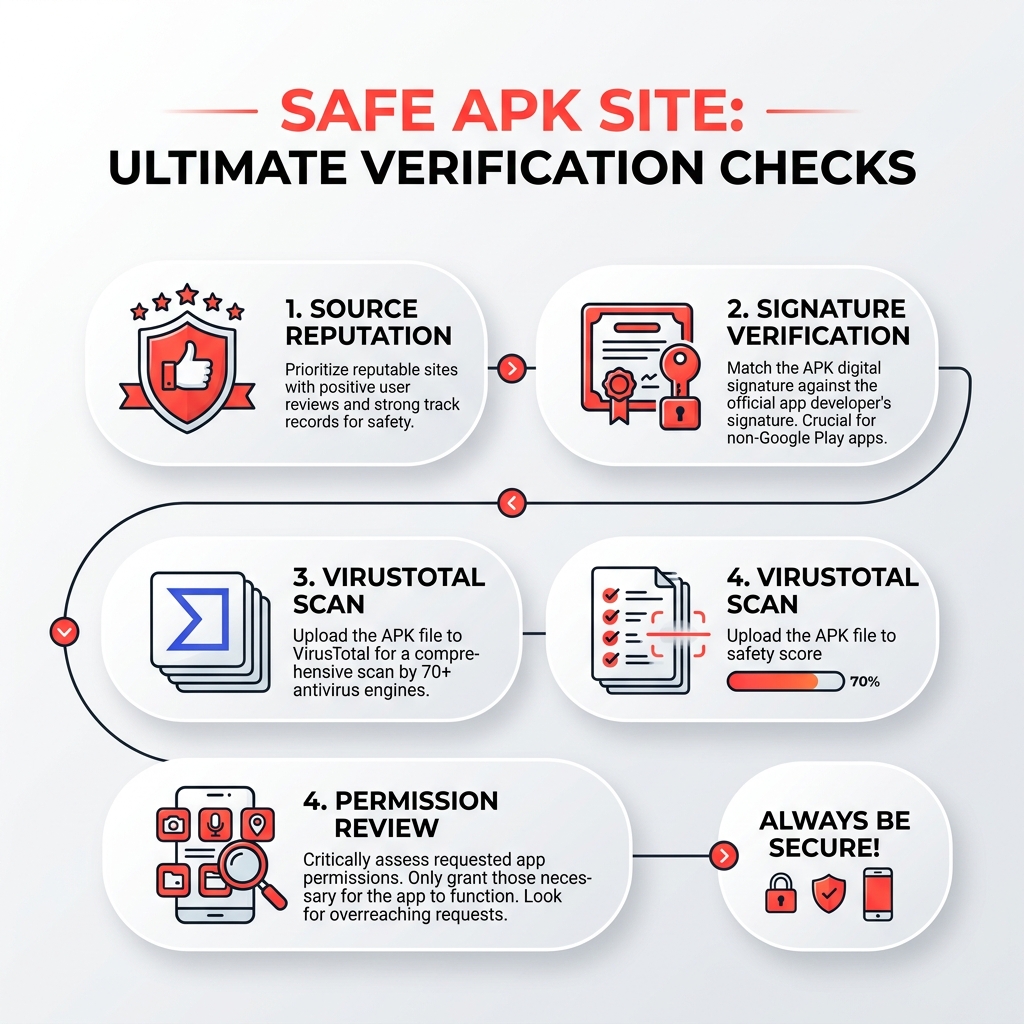
How does APKMirror stay so clean? They don’t just automate their uploads. Every single APK file is manually reviewed by the team before it ever goes live. They use a rigorous process that includes:
- Cryptographic Signatures: They verify that the digital signature of the APK matches the signature of the version found on the Google Play Store. This ensures the file hasn’t been tampered with.
- Developer Verification: They check that new apps from a developer match the signatures of previous versions. If the signatures don’t match, they won’t host the file.
- No Modded Content: Unlike many other sites, APKMirror has a strict policy: they only host free, original apps. You won’t find cracked or “modded” versions of paid apps here, which significantly lowers the risk of malware.
High Trust and Massive Scale
The numbers speak for themselves. With over 28,000 pages of listings, they offer millions of safe downloads. Popular tools like Google Gemini see over 72,000 downloads in a single month on the platform, proving that the community relies on them for staged rollouts and updates. If you want to Visit APKMirror, you are visiting what many consider the #1 source for free and safe Android APK downloads.
Trusted Alternatives and Community Verification
While APKMirror is fantastic for official updates, sometimes you need something different. Perhaps you are looking for open-source software or a store that works on devices without Google services.
F-Droid: The FOSS Haven
For those who value transparency above all else, F-Droid is the go-to. It is a repository exclusively for FOSS (Free and Open Source Software). Because the code is open for anyone to audit, it is incredibly difficult for malware to hide in these apps. It’s a community-driven project that even provides its own client to keep your open-source apps updated.
Official Manufacturer and Retailer Stores
Don’t forget the “big” alternatives. The Amazon Appstore is a massive, legitimate secondary market. Similarly, Samsung, Huawei, and Xiaomi all run their own proprietary stores. These are generally as safe as the Play Store because these multi-billion dollar companies have a vested interest in keeping your device secure.
| Source Category | Reliability | Best Use Case |
|---|---|---|
| Official Stores | 10/10 | General apps, paid games |
| F-Droid | 10/10 | Privacy-focused, open-source tools |
| APKMirror | 9.5/10 | Staged rollouts, geo-blocked apps |
| Manufacturer Stores | 9.5/10 | Device-specific optimizations |
| APKPure | 7/10 | Regional apps not on Play Store |
Identifying a safe apk site through community trust
Sometimes the best way to find a safe apk site is to listen to the people who break their phones for a living. Forums like XDA Developers, Android Central, and the Early Bird Club (formerly Android Forums) are gold mines for safety info.
In these communities, users share real-world experiences. If a site starts serving malicious ads or hosting infected files, the news spreads through these forums in hours. For example, many users on XDA recommend using APKPure for apps not available in certain regions, but they always pair that advice with a warning: “Scan it yourself first.” This peer-review system is your best defense against a site that might have recently “gone bad.”
Security Protocols and Red Flags
Even on a safe apk site, you need to keep your guard up. The “digital cold” often comes from sites that look legitimate but have small, hidden dangers.
Watch Out for the Red Flags
If you land on a site and see any of the following, close the tab immediately:
- Excessive Ads and Popups: If you have to click through three “Download” buttons that are actually ads before finding the real file, the site is prioritizing profit over your safety.
- Modded or “Cracked” Apps: Sites that offer paid apps for free are the most dangerous. To “crack” an app, a hacker has to modify the code. Once they are inside the code, it is trivial for them to add a keylogger or a data-stealing script.
- Vague Security Claims: A site saying “100% safe” without explaining how they verify files is a major red flag.
Essential precautions for every safe apk site user
Never rely solely on the website’s word. We recommend a “Trust but Verify” approach:
- VirusTotal is Your Best Friend: Before you click “Install,” upload the APK file to VirusTotal. It scans the file against over 70 different antivirus engines. If more than one or two flag it, delete it.
- Signature Verification: Advanced users can use tools to check the SHA-256 hash of a file. Reputable developers often post these hashes on their websites so you can confirm the file you downloaded is exactly what they released.
- Understand Android App Bundles: Google recently introduced Android App Bundles. This format makes files smaller but harder to sideload traditionally. Trusted sites have adapted by creating their own installers (like the APKMirror Installer) to handle these safely.
- Permission Audits: When you install an APK, look at the permissions it asks for. Does a simple calculator app need access to your contacts and microphone? If not, do not install it.
Why and When to Use Third-Party APK Sites
You might wonder why anyone would risk using a third-party safe apk site when the Play Store exists. There are actually several legitimate reasons:
- Geo-Restrictions: Many apps (like certain streaming services or banking apps) are only available in specific countries. If you are an expat or a traveler, you might need to download an APK to access your own accounts.
- Staged Rollouts: Google often releases updates slowly over weeks. If you want the latest features of an app like Instagram or WhatsApp today, a site like APKMirror lets you skip the line.
- Older Versions: Sometimes an update breaks a feature you love or makes an app run poorly on your older phone. Third-party sites often archive every version of an app, allowing you to “roll back” to a version that worked.
- Device Compatibility: If the Play Store incorrectly flags your phone as “not compatible,” sideloading is often the only way to get the app running.
Frequently Asked Questions about APK Safety
Is it legal to download APK files?
Yes, downloading and sharing APK files for free apps is generally legal. However, downloading “cracked” versions of paid apps (piracy) is illegal and ethically questionable. We always recommend sticking to legitimate, free versions of software.
Can APKs from third-party sites contain viruses?
Absolutely. This is why choosing a safe apk site is so critical. Unverified sites often host apps that have been modified to include spyware, adware, or ransomware. Always use a site with a manual review process and scan every download with VirusTotal.
How do I check if an APK is authentic?
The most reliable way is to check the cryptographic signature. If the signature of the APK you downloaded matches the signature of the official version from the developer or the Play Store, it is authentic. Most safe apk site options like APKMirror do this check for you automatically.
Conclusion: Stay Safe and Creative
Finding a safe apk site doesn’t have to be a gamble. By sticking to established names like APKMirror and F-Droid, and using tools like VirusTotal, you can enjoy the freedom of the Android ecosystem without the fear of a “digital cold.”
At KineMaster APK, we understand the importance of having the right tools for the job. Our community relies on high-performance video editing, and we know that sometimes you need to access specific versions of software to get that perfect 4K export or use a specific template. Whether you are a YouTuber, a student, or a professional vlogger, your device’s security is the foundation of your creativity.
Remember:
- Prioritize manual verification over automated sites.
- Check community forums for the latest site reputations.
- Never ignore a “Play Protect” warning without a very good reason.
Stay safe out there, and happy creating! For more guides on mobile security and creative tools, check out our other resources on How to Install KineMaster APK Safely and our tips on the Safest Android Browsers for Privacy.


 Best Kinemaster MODs9 months ago
Kinemaster for Beginners: Your First Video in 15 Minutes (No Experience Needed)

 Kinemaster Black2 years ago
KineMaster Black Download Latest Version v8.5

 Red Kinemaster Download2 years ago
Red Kinemaster Download Apk Latest Version v7.4.11.32428.GP Without Watermark
- Kinemaster Old Version2 years ago
KineMaster Old Versions 7.4.10.32410.GP Without Mark
- Kinemaster Diamond Mod Apk2 years ago
Kinemaster Diamond Mod Apk Download Pro Version V7.4.0.32260.GP
- Kinemaster without watermark2 years ago
Kinemaster without watermark Download Latest Version 4.15.5.17370.GP
- Best Kinemaster MODs11 months ago
kinemaster pro apk download 2025 full unlocked + no watermark kinemaster mod apk
- Kinemaster Blue Apk2 years ago
Kinemaster Blue Apk Download Without Watermark | Latest Version]