
Kinemaster Apk Download
Picking the Best Safe APK Sites for Android in 2026
Discover safe apk sites for Android like APKMirror, F-Droid & Uptodown. Learn secure sideloading, verification & top picks for 2026.

What Are the Best Safe APK Sites for Android?
Safe apk sites for android are platforms that let you download Android apps outside the Google Play Store — without risking malware or stolen data. Here are the most trusted ones:
| Site | Best For | Key Safety Feature |
|---|---|---|
| APKMirror | Official & beta app versions | Manual APK review + signature verification |
| F-Droid | Privacy-focused, open-source apps | Full source code transparency |
| Uptodown | Wide app variety | VirusTotal scanning integration |
| APKPure | Fast downloads, XAPK support | APK signature verification |
The Google Play Store is great — but it doesn’t have everything. Some apps are region-locked. Others get pulled without warning. And sometimes you just need an older version that doesn’t crash your workflow.
That’s where sideloading comes in. Sideloading means installing an APK file directly onto your Android device, bypassing the Play Store. It’s legal, it’s common, and it’s genuinely useful — as long as you use the right sources.
The problem? Not every site claiming to offer “free and safe” APKs actually delivers on that promise. Some bundle malware with legitimate apps. Others host modified files that look real but aren’t.
This guide cuts through the noise and shows you exactly which platforms to trust — and which ones to avoid.
I’m Faisal Shahzad, and I’ve spent years testing and evaluating safe apk sites for android to help video editors like you find reliable sources for apps like KineMaster without compromising your device’s security. In the sections below, I’ll walk you through the top platforms, how to verify any APK before installing it, and how to stay protected long after the download is done.
Why You Need Safe APK Sites for Android
We often get asked: “If the Play Store is right there, why bother with anything else?” The truth is, the official store can be a bit of a walled garden. Sideloading offers a level of freedom that makes Android the versatile powerhouse it is.
The Benefits of Sideloading
There are several practical reasons why we find ourselves looking for safe apk sites for android:
- Region Restrictions: Ever found a perfect app only to see “This item is not available in your country”? Sideloading bypasses these geographic blocks.
- Version Rollbacks: Sometimes an app update breaks a feature we rely on. Downloading an older APK allows us to revert to a stable version.
- Beta Access: Many developers upload cutting-edge features to third-party sites before they hit the mainstream.
- App Availability: Apps like Fortnite or specialized system tools often live outside the Play Store due to policy disagreements.
Understanding the Risks
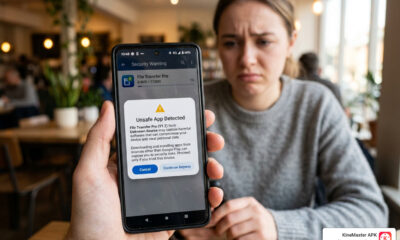
However, we must be honest: sideloading isn’t without danger. When you step outside the Play Store, you lose Google’s automated “Play Protect” shield. The primary risks include:
- Malware and Spyware: Malicious sites might inject “trojans” into popular apps to steal your banking info.
- Data Privacy: Some modified APKs request permissions they don’t need—like a calculator asking for your contact list.
- Adware: Unsafe sites often bundle apps with aggressive pop-up ads that ruin your phone’s performance.
To stay safe, we look for sites with high security standards. For example, APKMirror security standards are legendary because they manually review every file. By sticking to the platforms we recommend, you minimize these risks significantly.
Top Trusted Platforms for Secure Downloads
When we evaluate safe apk sites for android, we look for three things: a massive library, a clean track record, and technical verification methods.
| Feature | APKMirror | F-Droid | Uptodown | APKPure |
|---|---|---|---|---|
| Manual Review | Yes | Yes (Automated + Manual) | Yes | Yes |
| Signature Matching | Yes | N/A (Builds from source) | Yes | Yes |
| Modded APKs | No | No | No | No |
| Open Source Only | No | Yes | No | No |
These platforms serve millions—Aptoide alone has over 300 million users and seven billion downloads. But popularity isn’t everything; it’s the APKPure safety protocols and developer transparency that keep users coming back.
APKMirror: The Gold Standard for Safe APK Sites for Android
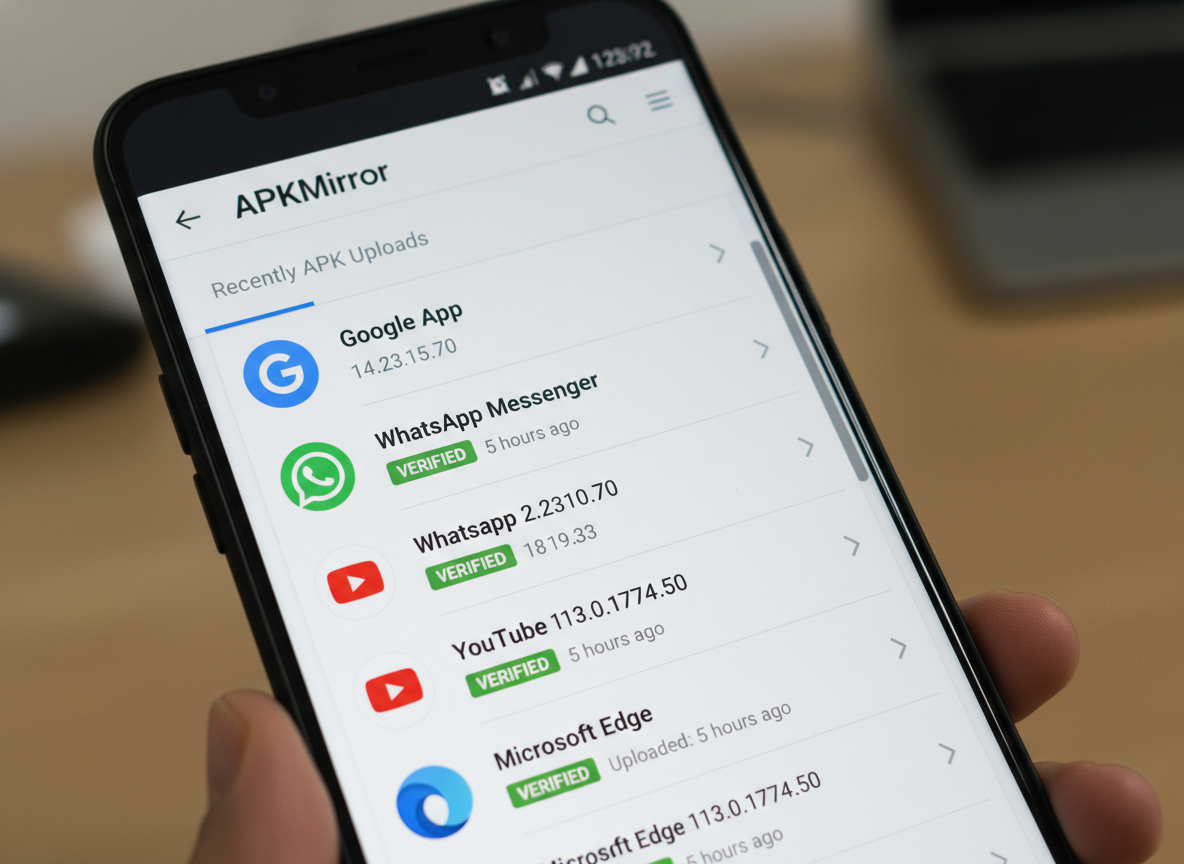
If we had to pick just one, APKMirror is often our first stop. It is owned by the same team behind Android Police, giving it massive credibility.
What makes it special?
- Manual Approval: Every APK is reviewed by a human before it goes live.
- Signature Matching: They match the cryptographic signature of new versions with previous ones. If the signatures don’t match, the file is rejected. This ensures the app actually came from the original developer.
- No Piracy: You won’t find “cracked” paid apps here. It’s strictly for free apps and official versions.
F-Droid: The Privacy-First Open Source Repository
For the privacy enthusiasts among us, F-Droid is the ultimate destination. It focuses exclusively on Free and Open Source Software (FOSS).
When you visit the F-Droid repository, you aren’t just getting an app; you’re getting transparency. Because the source code is public, the community can audit it for hidden tracking or security holes. It even lists “anti-features” like ads or tracking so you know exactly what you’re installing.
Uptodown: A Global Alternative for Safe APK Sites for Android
Uptodown is a massive player, serving over 450 million monthly users. It’s more than just a site; it’s a full-fledged Uptodown app store experience.
One feature we love is their VirusTotal integration. Every file is scanned by over 70 different antivirus engines. If a single one flags it, Uptodown takes a closer look. They also offer automatic rollbacks, making it easy to find that one specific version of an app that worked perfectly for you last year.
How to Verify and Install APKs Safely
Even when using safe apk sites for android, we always recommend a “trust but verify” approach. You wouldn’t eat a sandwich you found on the sidewalk; don’t put a file on your phone without checking it first!
Step 1: Enable “Unknown Sources”
Modern Android versions (Android 8.0 and higher) handle this per app.
- Go to Settings > Apps.
- Find your browser (like Chrome) or File Manager.
- Tap Install unknown apps and toggle Allow from this source.
Step 2: Scan Before You Install
Before tapping that “Install” button, upload the file to VirusTotal. It’s a free service that checks the file against dozens of antivirus databases. If you see more than one or two red flags, delete the file immediately.
Step 3: Check the Permissions
During installation, Android will show you what the app wants to access. If a simple photo editor wants access to your SMS messages or microphone, that’s a major red flag.
Dealing with Special Formats
Sometimes you’ll download a file ending in .xapk or .apks. These are “Split APKs” or app bundles. They can’t be installed by the default Android installer. To handle these, we use tools like the Split APKs Installer (SAI). You simply open SAI, select the bundle, and it handles the complex parts for you.
For those of us looking for specific creative tools, we offer a direct way to get started. You can find more info about KineMaster services on our site, where we prioritize a smooth installation experience for our community.
Troubleshooting Common Errors
- “App Not Installed”: This usually happens if you’re trying to install an older version over a newer one. Uninstall the current app first!
- “Parse Error”: The file might be corrupt or your Android version is too old for the app. Try re-downloading.
- Architecture Mismatch: Android devices use different processors (ARM64 vs ARMv7). Make sure the APK matches your device’s “brain.”
Frequently Asked Questions about Sideloading
Is it legal to download APK files from third-party sites?
Yes, it is generally legal. APK is just a file format, much like an .exe on Windows. As long as you are downloading free apps or apps you have a right to use, you aren’t breaking the law. However, downloading “cracked” versions of paid apps is considered piracy and violates copyright laws. We always advocate for supporting developers and sticking to legal, safe distributions.
How do I handle “App Not Installed” errors?
This is the most common headache in safe apk sites for android. Usually, it’s caused by a conflict. If you already have a version of the app from the Play Store, the APK installation will fail. You must uninstall the existing version first. Also, check your storage space; if your phone is 99% full, the installation will fail without a clear explanation.
Do APKs update automatically like Play Store apps?
Usually, no. Because the Play Store didn’t install the app, it won’t manage the updates. You have two choices:
- Manual Updates: Check your favorite safe apk sites for android periodically and download the new version.
- Third-Party Managers: Apps like APKPure or Uptodown have their own “store” apps that can notify you when an update is available and help you install it with one click.
Conclusion
Navigating safe apk sites for android in 2026 is all about making informed choices. By sticking to trusted giants like APKMirror, F-Droid, and Uptodown, you can enjoy the full freedom of the Android ecosystem without the anxiety of security threats.
Remember our safety checklist:
- Use a trusted source.
- Scan the file with VirusTotal.
- Review permissions carefully.
- Disable “Install Unknown Apps” once you’re finished for extra security.
If you’re a creator looking to take your mobile editing to the next level, we’ve got you covered. Our platform provides the KineMaster APK with premium features like 4K export and a watermark-free experience, allowing you to produce professional-grade content without the hurdles of official subscriptions.
Ready to start creating? Check out more info about premium features and join our community of millions of editors today!











 Best Kinemaster MODs9 months ago
Kinemaster for Beginners: Your First Video in 15 Minutes (No Experience Needed)

 Kinemaster Black2 years ago
KineMaster Black Download Latest Version v8.5

 Red Kinemaster Download2 years ago
Red Kinemaster Download Apk Latest Version v7.4.11.32428.GP Without Watermark
- Kinemaster Old Version2 years ago
KineMaster Old Versions 7.4.10.32410.GP Without Mark
- Kinemaster Diamond Mod Apk2 years ago
Kinemaster Diamond Mod Apk Download Pro Version V7.4.0.32260.GP
- Kinemaster without watermark2 years ago
Kinemaster without watermark Download Latest Version 4.15.5.17370.GP
- Best Kinemaster MODs11 months ago
kinemaster pro apk download 2025 full unlocked + no watermark kinemaster mod apk
- Kinemaster Blue Apk2 years ago
Kinemaster Blue Apk Download Without Watermark | Latest Version]







