Kinemaster
Cut the Cost: Find the Best Free Video Editor with Templates Today
Find the best free video editor with templates to cut production costs and create professional content fast, even as a beginner.

Find a Free Video Editor with Templates That Fits Your Project
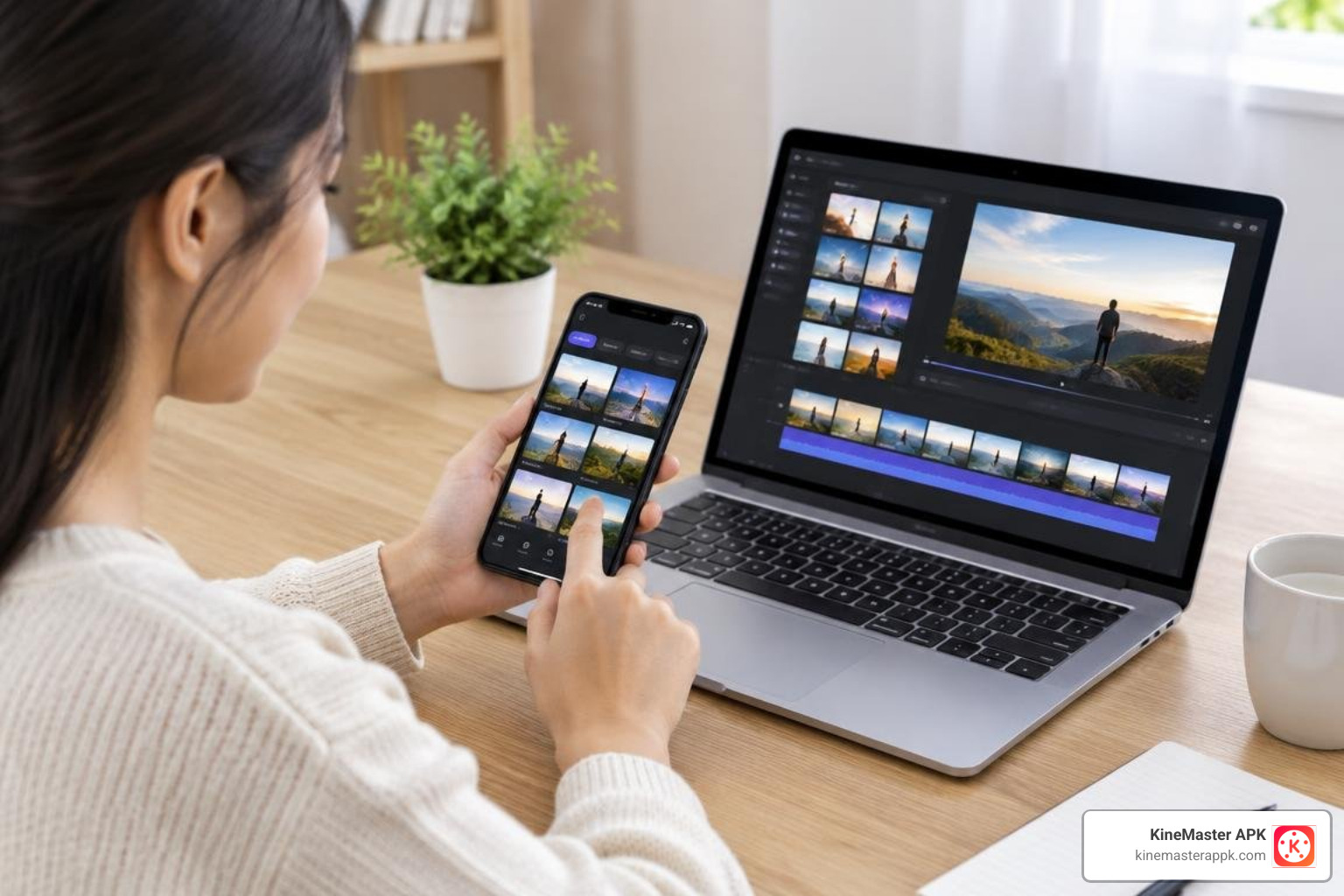
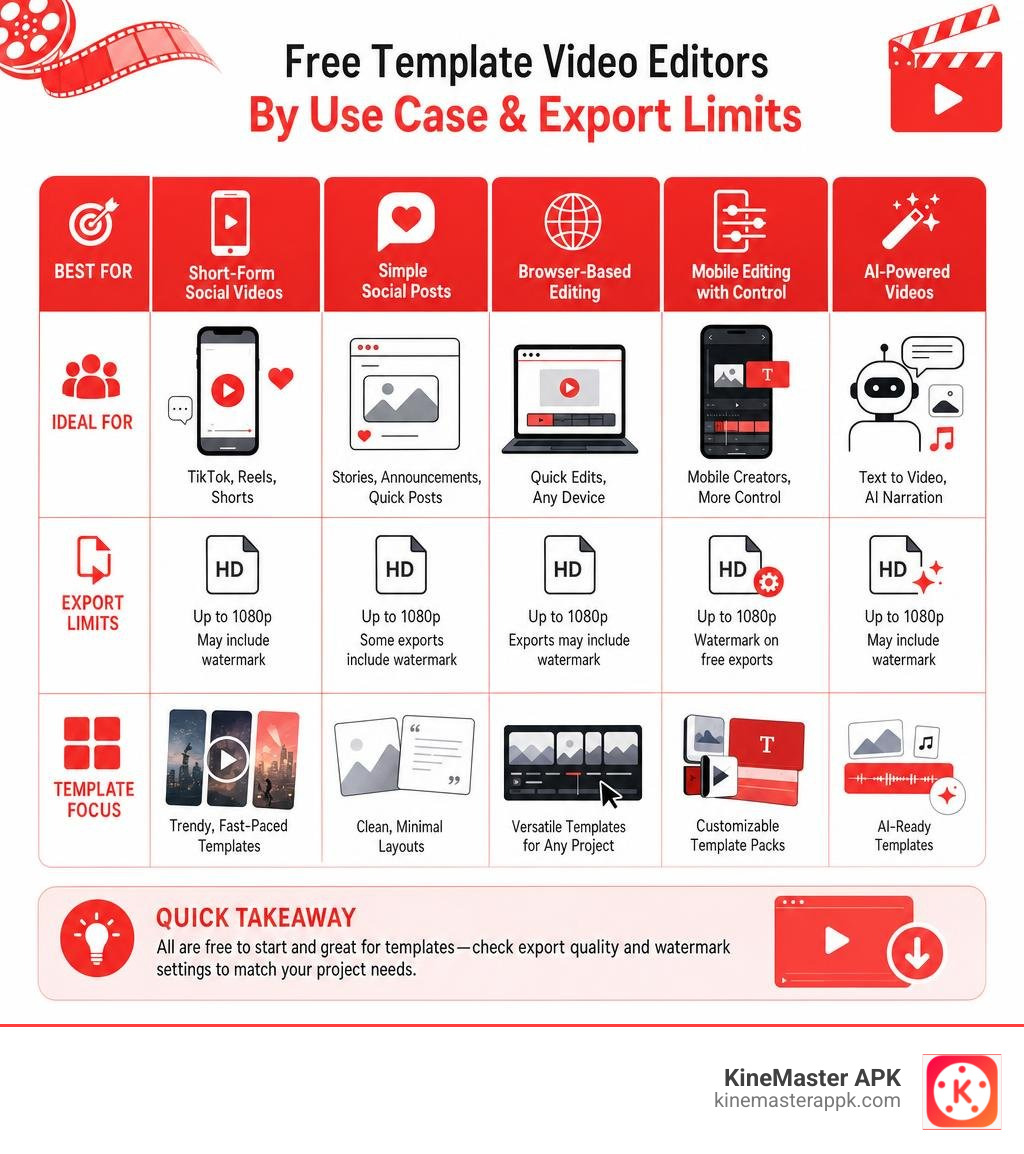
Finding the right free video editor with templates comes down to your workflow, whether you need quick social media clips, browser-based tools, or full multi-track mobile control. Mobile editors offer flexible templates alongside hands-on timeline precision, while automated tools can generate instant pacing and transitions. Most platforms provide a free way to start, but check specific template and export settings before you commit: free access does not always mean a watermark-free video.
Templates give beginners a ready-made layout for text, clips, music, and transitions. You replace the sample content instead of building every scene from scratch. This roundup will help you match an editor to your project and spot limits such as watermarks, credits, and export quality. For a broader look at how templates fit into modern editing, see video editing.
I’m Faisal Shahzad, and at KineMaster APK I focus on making mobile editing choices easier to understand. I’ll help you find a free video editor with templates that fits what you want to make.
How Video Templates Streamline Content Creation for Beginners
Creating polished videos used to require dozens of hours mastering complex software, keyframing transitions manually, and synchronizing audio beats by eye. For beginners, opening a blank, multi-track timeline can feel intimidating. This is where pre-designed frameworks transform the entire creative workflow.

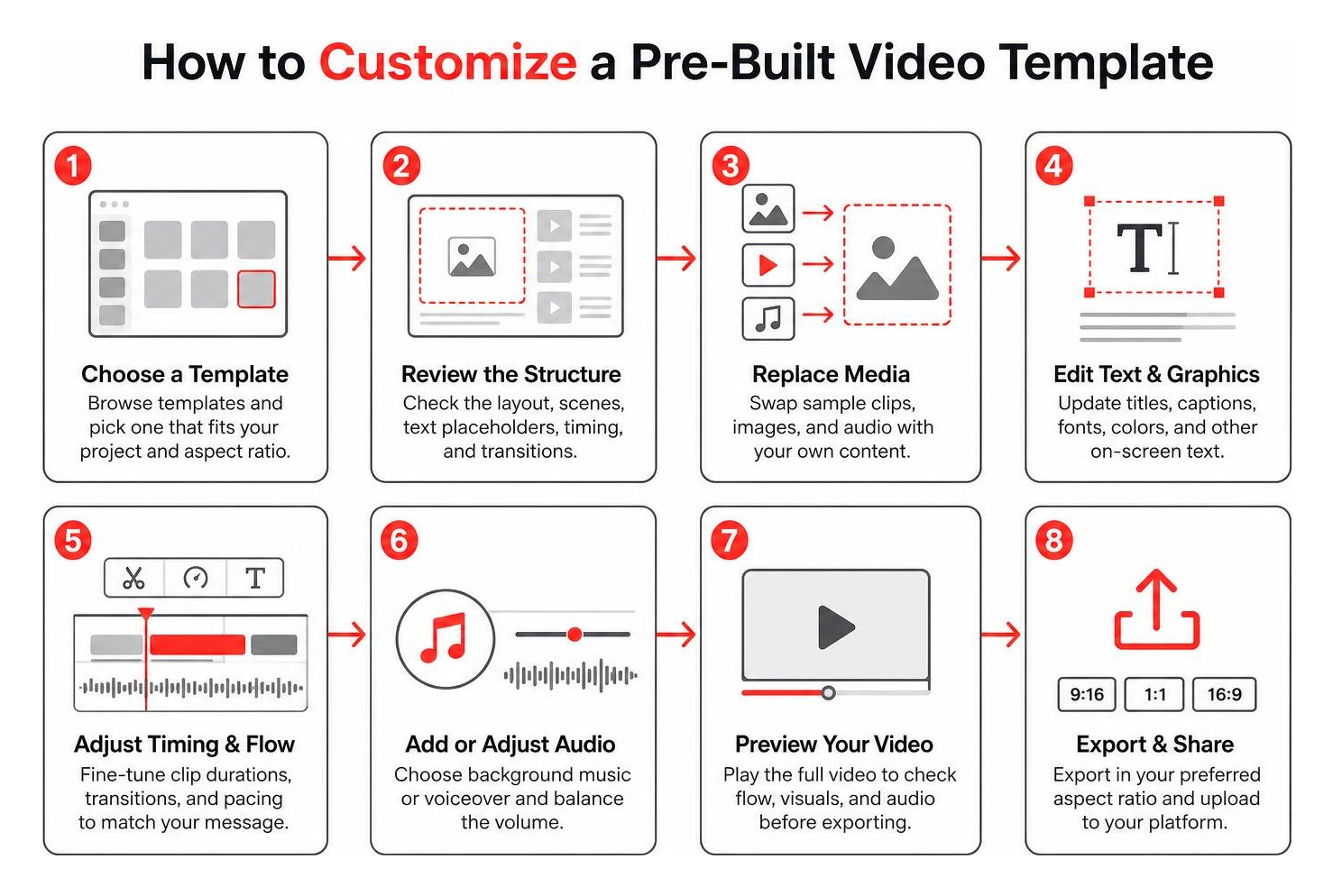
Using a template eliminates the blank-canvas syndrome. Instead of wondering where to place a title card, how long a cut should linger, or which font pairing looks balanced, creators get a proven structural baseline. You simply drop your recorded clips into designated placeholder slots, replace the sample copy with your messaging, and let the pre-configured animations handle the visual flair.
This drag-and-drop mechanism cuts production turnaround times by up to 80%. It enables small businesses, solo creators, and social media managers to maintain strict posting schedules without sacrificing aesthetic quality.
Why Pre-Built Layouts Speed Up Video Production
Pre-built layouts package multiple technical editing decisions into a single asset:
- Aspect Ratio Optimization: Instant formatting for vertical 9:16 (TikTok, Reels, Shorts), square 1:1 (feed posts), and widescreen 16:9 (YouTube).
- Synchronized Motion: Pre-timed transitions, zoom reveals, lower-thirds, and title animations tuned to specific pacing.
- Integrated Asset Libraries: Direct access to royalty-free audio tracks, background loops, sound effects, and sticker overlays without external searching.
- Visual Hierarchy: Expertly arranged text sizing, color palettes, and margin alignments designed to retain viewer engagement across mobile screens.
How Beginners Benefit from a Free Video Editor with Templates
Starting with a template does not mean sacrificing technical learning. Instead, it serves as an educational bridge.
When you load a template into a modern editing environment, you can inspect how professional editors construct scenes. You see how audio ducking lowers background music during speech, how keyframes animate graphic overlays across the screen, and how color filters establish mood. Beginners gain immediate confidence by shipping usable videos on day one while gradually tweaking individual parameters to expand their skills.
Core Editing Workflows: Template-Based vs. Timeline-Based Editing
When exploring free editing software, you will encounter two primary philosophies: automated, template-driven generators and full-featured, timeline-based editors.
| Feature / Dimension | Web-Based / AI Template Tools | Mobile Multi-Layer Timeline Editors |
|---|---|---|
| Primary Interaction | Prompt input, text fields, slot replacement | Multi-track timeline, keyframe manipulation, direct slicing |
| Hardware Demands | Very low (Cloud processing) | Moderate to high (Local device rendering) |
| Customization Depth | Limited to predefined slots and styles | Complete control over every frame, track, and layer |
| Offline Editing | No (Requires steady internet connection) | Yes (Edits process locally on the device) |
| Asset Ecosystem | Curated platform libraries | Asset stores with 900+ fonts, 1500+ audio tracks, effects |
| Rendering Speed | Dependent on server queues | Dependent on local hardware acceleration |
Finding and Customizing Video Templates
Finding the right template starts with identifying your content format. Browser-based platforms and mobile apps categorize their libraries by platform, industry, and visual style.
- Browse the Library: Filter by categories such as YouTube Intros, E-commerce Product Demos, Educational Explainers, or TikTok Trends.
- Replace Placeholder Media: Swap stock footage with your recorded clips, screen recordings, or product images.
- Refine Text and Typography: Update copy, tweak font weights, and adjust text spacing to match your brand identity.
- Audio Tuning: Align background music, generate auto-captions, or utilize built-in noise removal to polish dialogue.
Multi-Layer Timeline Mobile Editors
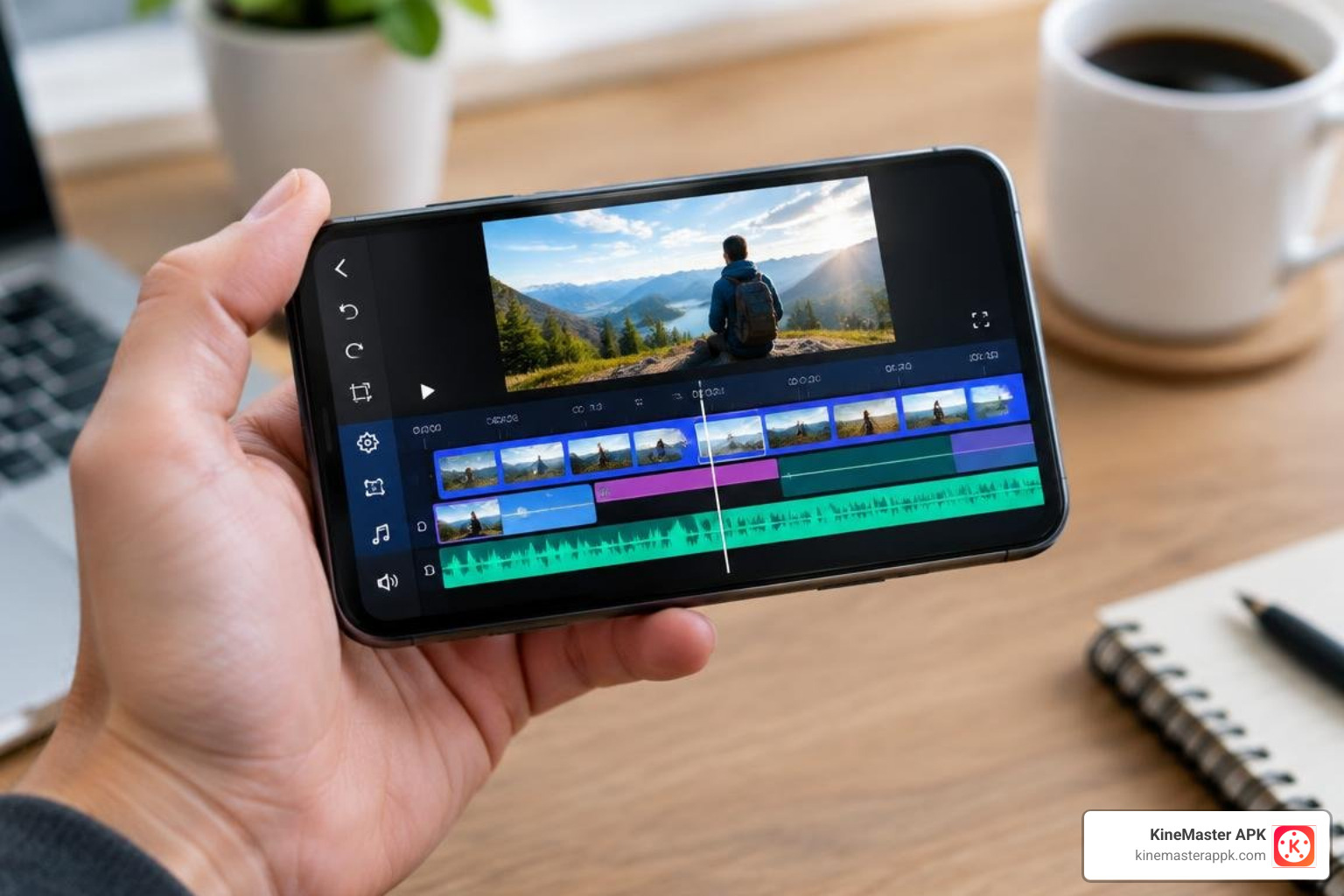
While one-click template tools are convenient, they can feel restrictive when you want custom pacing or unique visual combinations. Multi-layer mobile editors bridge this gap by offering both structured templates and deep timeline control.
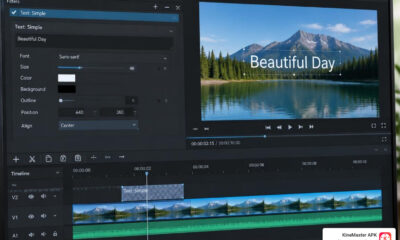
With a multi-layer setup, you can place video clips on secondary tracks for Picture-in-Picture (PiP) effects, overlay green-screen (chroma key) graphics, draw custom masks, and apply precision speed ramps. Dedicated mobile asset stores offer thousands of modular visual assets, transitions, and audio presets, giving you full creative control directly from your phone.
How to Choose the Best Free Video Editor with Templates
Selecting the right editor depends on your hardware, output requirements, and how much creative control you want over the final cut.
Top Editing Features to Look For
To make sure you don’t hit frustrating roadblocks mid-project, look for these essential features when testing editors:
- Extensive Font and Typography Options: Access to diverse font styles (many modern editors offer 900+ fonts) and customizable text outlines, shadows, and glow settings.
- Rich Audio Tools: Built-in sound libraries (featuring 1500+ songs and sound effects), AI music matching, audio ducking, and noise removal.
- Precision Speed Controls: Smooth speed ramping and curve-based keyframe graphs for dynamic motion.
- Advanced Visual Layering: Chroma key compositing, corner pinning, blending modes, and Magic Remover tools for instant background isolation.
- Aspect Ratio Flexibility: Frictionless switching between 9:16, 16:9, 1:1, and 4:5 without losing text formatting.
Template Types: Intros, Social Media Ads, and Explainers
Different projects require specialized template structures:
- YouTube Intros & Outros: High-energy title animations, subscribe button callouts, and end-screen video placeholders (16:9).
- Social Media Ads: Fast-paced, punchy visual hooks designed to stop thumbs within the first three seconds, complete with price tags and clear calls to action (9:16 and 1:1).
- Faceless Explainers & Tutorials: Structured layouts featuring animated infographics, split screens, bulleted list reveals, and dedicated areas for automated subtitles.
- E-Commerce Product Showcases: Dynamic motion templates designed to highlight physical products through smooth panning transitions, clean backgrounds, and discount banners.
Overcoming Free Plan Limitations: Watermarks, Credits, and 4K Exports
Free editing plans often come with structural trade-offs. Understanding these constraints helps you plan your production budget effectively:
- Watermark Restrictions: Many free tiers place an unavoidable branded watermark over your exported video unless you upgrade or use specific modded mobile builds.
- Render Credits: AI-driven template makers frequently limit free users to a small monthly credit pool, charging per second of generated footage.
- Resolution Caps: Free browser tools often limit exports to 720p or 1080p, reserving 4K 60fps rendering for high-tier subscriptions.
- Commercial Licensing: Verify whether stock media, fonts, and music included in free templates carry commercial use rights if you intend to run paid advertisements or client projects.
Frequently Asked Questions About Video Editing Templates
Which free video editors allow watermark-free exports with templates?
Some web-based editors allow standard-definition, watermark-free exports on basic plans, but they often restrict advanced templates or limit the number of downloads per month. For mobile editors, removing watermarks while retaining access to high-tier template stores typically requires a paid subscription or access to modified application packages designed to unlock premium export pipelines.
Can I save and reuse custom video templates in free editors?
Yes. Many advanced mobile and desktop editors include project duplication or “Save As Template” features. This allows you to construct a custom layout—complete with your preferred brand colors, intro sequence, typography, and logo placement—and duplicate it for every new video, ensuring complete visual consistency across your channel.
What is the difference between reusable video templates and traditional editing presets?
A preset usually applies a single visual property to a clip, such as a color grading LUT, a transition effect, or an audio equalization curve. A reusable template is an entire multi-track project blueprint containing timed scenes, placeholder layers, animated typography, sound effects, and transitions configured into a ready-to-render sequence.
Conclusion
Video templates have fundamentally changed digital storytelling, allowing creators of all experience levels to bypass steep learning curves and produce high-impact content on demand. Whether you need a quick 15-second social media reel or a detailed educational tutorial, finding an editor with the right balance of pre-built layouts and timeline flexibility is essential.
For creators seeking full control over multi-layer timelines, comprehensive asset libraries, and high-resolution outputs without subscription barriers, exploring the unlocked resources at KineMaster APK provides an accessible way to elevate your mobile video production. Pick the template that fits your story, drop in your footage, and start creating today.










 Best Kinemaster MODs9 months ago
Kinemaster for Beginners: Your First Video in 15 Minutes (No Experience Needed)

 Kinemaster Black2 years ago
KineMaster Black Download Latest Version v8.5

 Red Kinemaster Download2 years ago
Red Kinemaster Download Apk Latest Version v7.4.11.32428.GP Without Watermark
- Kinemaster Old Version2 years ago
KineMaster Old Versions 7.4.10.32410.GP Without Mark
- Kinemaster Diamond Mod Apk2 years ago
Kinemaster Diamond Mod Apk Download Pro Version V7.4.0.32260.GP
- Kinemaster without watermark2 years ago
Kinemaster without watermark Download Latest Version 4.15.5.17370.GP
- Best Kinemaster MODs12 months ago
kinemaster pro apk download 2025 full unlocked + no watermark kinemaster mod apk
- Kinemaster Blue Apk2 years ago
Kinemaster Blue Apk Download Without Watermark | Latest Version]