
Kinemaster Pro Mod Apk
How to Create Text Animations in Video Maker
Learn video maker text animation: Create pro kinetic typography with KineMaster templates, AI tools & social media tips for max engagement.

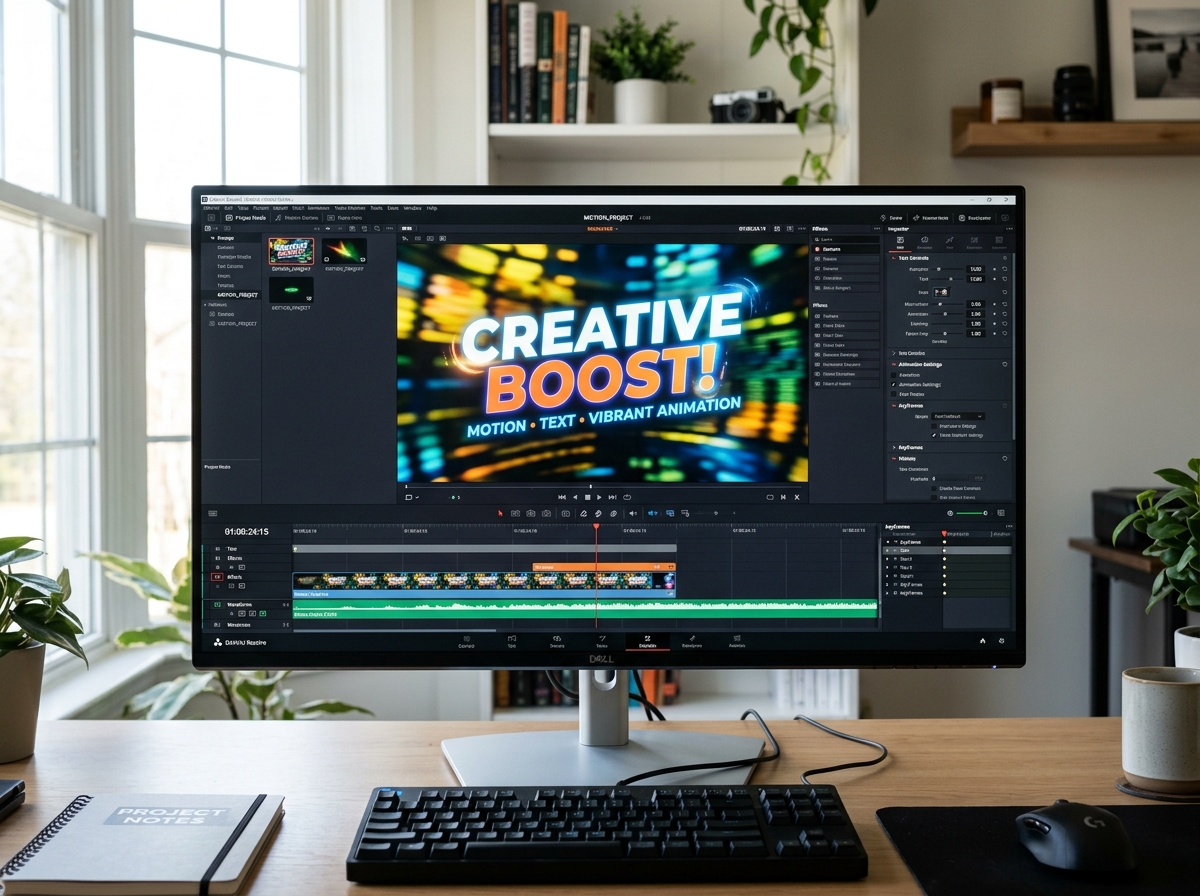
Why Text Animation Is the Fastest Way to Make Your Videos Stand Out
Video maker text animation is the art of bringing words to life on screen — making text move, fade, bounce, or glide to grab attention and keep viewers watching. This technique, often referred to as kinetic typography, is a cornerstone of modern digital storytelling.
The short answer: If you want professional text animations on mobile without subscriptions, KineMaster is your best starting point. It provides a comprehensive suite of tools for keyframe animation, multi-layer editing, and high-resolution exports that rival desktop software.
Research consistently shows that viewers retain 95% of a message when they watch it in a video — and animated text is one of the biggest reasons why. A static caption is easy to scroll past. A word that bounces, glows, or slides into frame? That gets noticed.
Whether you’re making TikToks, YouTube intros, or marketing videos, knowing how to animate text can be the difference between content that gets skipped and content that converts.
I’m Faisal Shahzad, and I’ve spent years helping mobile creators get professional results using KineMaster APK — including mastering video maker text animation without expensive software or subscriptions. In this guide, I’ll walk you through everything from the basics to advanced techniques, so you can start creating right away.
What is a Video Maker Text Animation and Why It Matters
At its core, video maker text animation—often referred to in the industry as kinetic typography—is the technical process of moving text elements within a video frame. But it is much more than just “moving words.” It is a psychological trigger for engagement. When we use animation, we aren’t just decorating the screen; we are guiding the viewer’s eye and emphasizing the most important parts of our message.
Statistics show that educators who use visual lessons, including animated text, report a 64% better information retention rate among students. This isn’t just for the classroom; in marketing, content creators have seen engagement increase by 3.2x when using AI-generated and animated video elements.
Why does it work so well?
- Audience Engagement: Motion breaks the “scroll trance.” A word that pops or slides onto the screen demands a micro-second of attention that static text simply doesn’t get.
- Brand Identity: Whether you use a shaky “glitch” effect for a gaming channel or a smooth, elegant “fade” for a corporate presentation, the style of your text animation tells the audience who you are.
- Conversions: Customized videos with professional text overlays have been shown to achieve 2x sales conversions.
- Social Media Impact: On platforms like TikTok and Instagram, where many users watch videos with the sound off, video maker text animation acts as the primary storyteller.
Key Features of a Professional Video Maker Text Animation Tool
To create something that looks like it came out of a high-end studio, you need more than just a “typewriter” effect. A professional-grade tool should offer a suite of features that allow for deep customization.

When we evaluate a video maker text animation tool, we look for these specific capabilities:
- Multi-Layer Editing: This is the foundation of professional work. You need to be able to stack text, stickers, and images on top of your video. This allows you to create complex visual hierarchies where text can appear behind or in front of other elements.
- Keyframe Animation: This is the “secret sauce.” Keyframes allow you to define a starting point and an ending point for your text’s movement. You can make text follow a custom path, grow in size, or change transparency over time.
- Custom Fonts and Typography: Professional tools provide access to “Stylish Fonts” and allow you to upload your own. This ensures your video matches your brand’s specific look.
- Motion Presets: For those in a hurry, built-in presets like “In-Animation,” “Overall Animation,” and “Out-Animation” (fades, slides, pops, and spins) are essential.
- High-Resolution Export: There is no point in creating a beautiful animation if it looks blurry. Look for tools that support 4K resolution and adjustable frame rates.
Mobile-based tools like KineMaster APK offer distinct advantages for modern creators. Unlike many restricted browser-based editors, a professional mobile tool allows for offline editing and on-the-go creation. You get precise keyframe control for custom paths and access to localized asset stores for fast loading. Furthermore, while many free tools cap exports at 720p, advanced mobile versions allow for up to 4K resolution exports, ensuring your content looks crisp on any screen.
How to Create Professional Text Animations for Beginners
You don’t need a degree in motion graphics to start. The easiest way to begin is through template selection. Most modern video makers come pre-loaded with “Typography Packs” or “Title Packs” that have the motion already baked in. You simply swap the placeholder text for your own.
If you want to build something from scratch on your phone, you can Add Animated Text to Video Using KineMaster in 12 Easy Steps. The process generally involves:
- Importing your base video or a background.
- Adding a “Text Layer.”
- Selecting an “In-Animation” (how it appears) and an “Out-Animation” (how it disappears).
- Adjusting the timing on the timeline so the text matches the spoken words or music beats.
To truly master the craft, there are 5 Essential KineMaster Features Every New User Should Master, such as layering techniques and background blurring. Blurring the background slightly behind your text makes the letters “pop” and ensures readability, even if the video behind it is busy.
Using AI in Your Video Maker Text Animation Workflow
The future of video maker text animation is undoubtedly AI-driven. We are seeing a massive shift toward tools that can generate entire scenes from a single text prompt. AI tools can now analyze your script and suggest the best animation styles, or even sync the text movement to a generated voiceover.
Users of AI-powered platforms report saving up to 60% less time on video creation. Key AI features to look for include:
- Text-to-Video Prompts: Describe a scene, and the AI builds the background and animated text for you.
- Auto-Captions: AI listens to your audio and generates synced text animations automatically—a must-have for social media creators.
- AI Optimize: Some tools feature an “AI Optimize” button that takes a basic text prompt and expands it into a detailed, cinematic visual description.
- Multilingual Support: Tools now offer AI translation, allowing you to turn your English text animations into 180+ different languages with a single click.
Optimizing Your Video Maker Text Animation for Social Media
Every platform has its own “vibe” and technical requirements. If you are creating for TikTok or Instagram Reels, you must use a 9:16 vertical aspect ratio. For YouTube, the standard is 16:9 widescreen.
One advanced trick we recommend is using Chroma Key in KineMaster to remove backgrounds from text-heavy overlays. This allows you to create “Green Screen” text animations that you can overlay on any project later.
Always export in MP4 format for the best balance of quality and file size. If you are making a quick reaction or a meme, consider a GIF export, which many professional mobile editors now support.
Frequently Asked Questions about Text Animation
How do I remove watermarks from my animated videos?
Most free versions of video makers include a watermark to promote their brand. To remove it, you typically need a monthly subscription. However, many creators look for premium APK versions or “Mod” versions of apps like KineMaster. These versions unlock the Premium features and allow for watermark-free exports, which is vital for maintaining a professional brand image. When your video doesn’t have a watermark, your audience focuses on your content, not the tool you used to make it.
What are the best file formats for exporting text animations?
- MP4: The universal standard. Best for YouTube, Instagram, and Facebook.
- MOV: Often used if you need to preserve transparency (alpha channel) for professional editing.
- GIF: Perfect for short, looping text animations in emails or messaging apps.
- Lottie: A modern format used by web designers for high-quality, lightweight animations on websites.
Can I create professional text animations on my mobile phone?
Absolutely. Modern mobile hardware is more than capable of handling complex video maker text animation. Apps like KineMaster provide desktop-level features like keyframe control and multi-layer support. This means you can edit while on the bus, at a cafe, or on set, and still export a video in 4K resolution that looks like it was made on a high-end PC.
Conclusion
Mastering video maker text animation is one of the most valuable skills a modern creator can have. It bridges the gap between a “home movie” and a professional production. By using the right tools—whether you’re leveraging the AI power of web generators or the precision of mobile editors—you can ensure your message isn’t just heard, but remembered.
We believe that professional tools should be accessible to everyone. That’s why we provide access to the KineMaster APK, which unlocks premium transitions, 4K exports, and an endless library of text templates without the burden of watermarks.
Don’t let technical barriers stop your creativity. Whether you’re building a brand, teaching a class, or just sharing your story, animated text is your best friend. Start creating with KineMaster Pro today and watch your engagement soar!





 Best Kinemaster MODs8 months ago
Kinemaster for Beginners: Your First Video in 15 Minutes (No Experience Needed)

 Kinemaster Black2 years ago
KineMaster Black Download Latest Version v8.5

 Red Kinemaster Download2 years ago
Red Kinemaster Download Apk Latest Version v7.4.11.32428.GP Without Watermark
- Kinemaster Old Version2 years ago
KineMaster Old Versions 7.4.10.32410.GP Without Mark
- Kinemaster Diamond Mod Apk2 years ago
Kinemaster Diamond Mod Apk Download Pro Version V7.4.0.32260.GP
- Kinemaster without watermark2 years ago
Kinemaster without watermark Download Latest Version 4.15.5.17370.GP
- Best Kinemaster MODs11 months ago
kinemaster pro apk download 2025 full unlocked + no watermark kinemaster mod apk
- Kinemaster Blue Apk2 years ago
Kinemaster Blue Apk Download Without Watermark | Latest Version]







