
Top 5 Video Editing Apps for Android
Google Personal Safety APK: Your Digital Guardian Angel
Download Google Personal Safety App APK for Pixel phones. Activate Emergency SOS, car crash detection, and safety checks for ultimate protection.

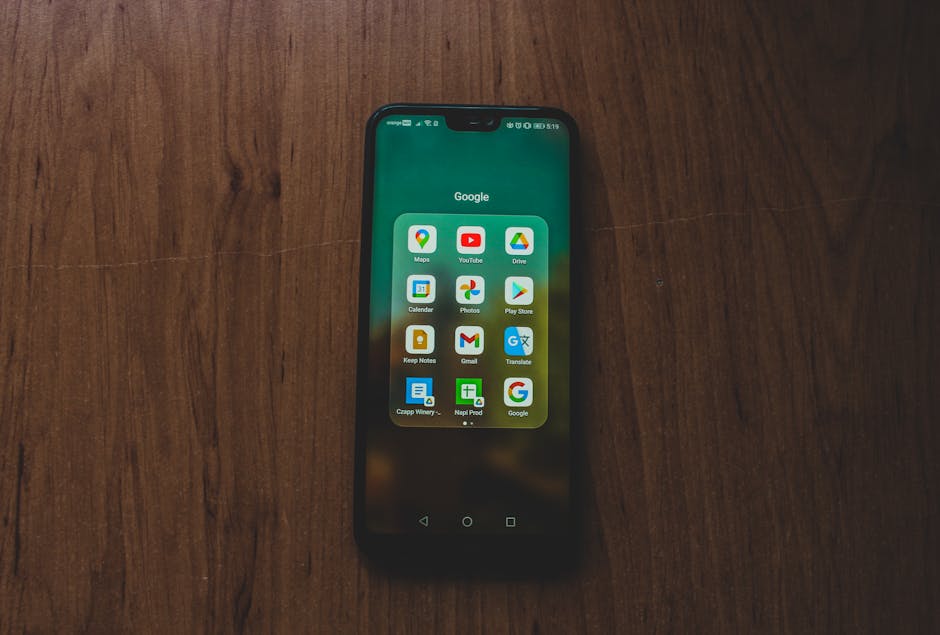
Why the Google Personal Safety App APK Belongs on Every Android Phone
The google personal safety app apk is a free emergency tool made by Google LLC that helps you quickly get help when it matters most. Here’s how to get it fast:
Quickest way to install Google Personal Safety:
- Preferred method: Search “Personal Safety” on the Google Play Store and tap Install
- Manual APK install: Download the APK from a trusted source like APKMirror, enable “Unknown Sources” in your Android settings, then tap the file to install
- Pixel users: If the icon is hidden, go to Settings > About Phone > Emergency Information > Turn on Safety
Minimum requirement: Android 10 or higher (Android 12+ for the latest version)
Emergencies don’t announce themselves. One moment everything is fine, and the next you need help — fast. That’s exactly the gap this app fills. With over 210,000 reviews and a 4.0 rating on the Google Play Store, millions of Android users already rely on it for features like Emergency SOS, real-time location sharing, car crash detection, and crisis alerts.
Some users have hit small bumps along the way. For example, several Pixel owners reported not being able to find the app icon after installation — a common confusion that a simple settings path can fix. Others noticed battery drain after the app activated. These are real things worth knowing before you install.
I’m Faisal Shahzad, and my experience reviewing and guiding users through APK tools — including the google personal safety app apk — means I can walk you through everything clearly and search safely. Let’s break down exactly what this app does, what your device needs, and how to get it running properly.

What is the Google Personal Safety App?
At its heart, the google personal safety app apk is designed to be your digital lifesaver. Developed by Google LLC, its primary purpose is to prepare you for the unexpected and help you react quickly when an emergency strikes. Think of it as a central hub that connects you with emergency services and your inner circle of trusted contacts the moment things go wrong.
While many Android phones can run the basic version, this app creates a specialized safety ecosystem for Pixel users. It leverages the phone’s hardware to provide real-time assistance that other apps simply can’t match. Whether you are walking home late at night or driving on a busy highway, the app is constantly ready to bridge the gap between a crisis and the help you need.
Because this app handles sensitive data like your real-time location and medical history, Google maintains a strict Official Privacy Policy to ensure your information is only used when you actually need help. It isn’t just an app; it’s a proactive security layer for your digital life.
Core Features of the Google Personal Safety App APK
The power of the google personal safety app apk lies in its diverse toolkit. It doesn’t just wait for you to call 911; it offers several ways to signal for help.
- Emergency SOS: This is the flagship feature. By rapidly pressing the power button five times or more, your phone can automatically call emergency services, share your location with contacts, and even start recording a video of the situation.
- Safety Check: Planning a solo hike or a late-night walk? You can set a check-in timer. If you don’t respond when the timer ends, the app automatically starts “Emergency Sharing” with your chosen contacts.
- Crisis Alerts: Stay informed about natural disasters or public emergencies near you. The app sends notifications about floods, fires, or other localized threats.
- Medical Information: You can store your blood type, allergies, and medications. This information can be displayed on your lock screen so first responders can see it even if your phone is locked.
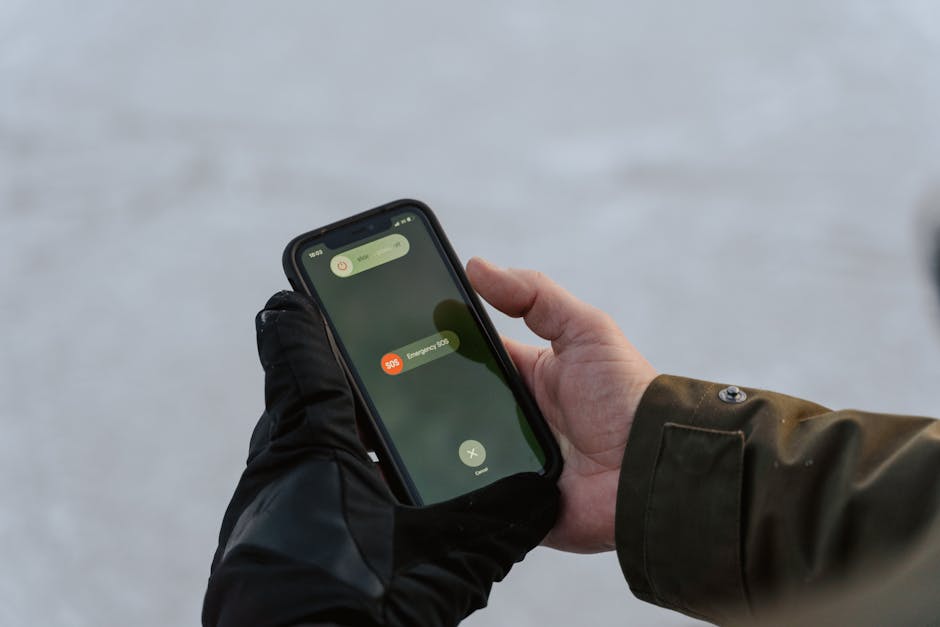
For those who wear their tech, the Pixel Watch safety features extend these protections to your wrist, offering a seamless safety net across your devices.
Advanced Protection: Car Crash and Fall Detection
One of the most impressive technical feats of the google personal safety app apk is its ability to use hardware sensors—like the accelerometer and microphone—to detect physical trauma.
On Pixel phones, Car Crash Detection can sense if you’ve been in a severe accident. If a crash is detected, the phone vibrates, sounds an alarm, and asks if you’re okay. If you don’t respond, it automatically dials emergency services and provides your location. This feature has recently expanded to several new countries, including India, Switzerland, Belgium, Austria, and Portugal.
Similarly, for those using Wear OS, Fall Detection on the Pixel Watch can identify a hard tumble. If you remain immobile after a fall, the watch initiates a call for help, ensuring that a simple slip doesn’t turn into a prolonged medical crisis.
Proactive Security with Google Personal Safety App APK
We often think of safety apps as reactive, but the google personal safety app apk is incredibly proactive. Through Google Assistant integration, you can start emergency sharing or a safety check using just your voice—perfect for when your hands are busy or you can’t reach your screen.
When Emergency Sharing is active, your contacts don’t just get a one-time ping. They receive your real-time location updates and battery status. This keeps your “Guardian Angels” informed until you manually turn the sharing off, providing true peace of mind for both you and your loved ones.
System Requirements and Compatibility
Before you rush to install the google personal safety app apk, you need to ensure your hardware is up to the task. While the app has over 1 billion downloads, its most advanced features are hardware-dependent.
| Feature | Android Phone (General) | Pixel Phone (Exclusive) | Pixel Watch (Wear OS) |
|---|---|---|---|
| Emergency SOS | Yes | Yes | Yes |
| Safety Check | Yes | Yes | Yes |
| Medical Info | Yes | Yes | Yes |
| Car Crash Detection | No | Yes | No |
| Fall Detection | No | No | Yes |
Technical Specifications:
- OS Version: Requires at least Android 10. For the latest 2025 releases, Android 12 or higher is mandatory.
- Architecture: Primarily designed for arm64-v8a devices.
- DPI: Supports various variants (nodpi, 480dpi, 640dpi) to ensure the interface looks sharp on all screen sizes.
- Storage: The APK file is relatively small, usually between 6 MB and 25 MB depending on the version.
Always verify the signature of the APK if you are downloading from a third-party site. Trusted sites like APKMirror provide SHA256 hashes so you can confirm the file hasn’t been tampered with.
How to Install the App Safely
Installing the google personal safety app apk is straightforward, but if you are sideloading the APK instead of using the Play Store, there are a few extra steps to ensure your device stays secure.
When you download a file from a browser, Android will naturally block the installation for your protection. You’ll need to grant permission to your browser or file manager to “Install Unknown Apps.” If you’ve downloaded an XAPK or an APK Bundle, you might need a specialized installer (like the APKMirror Installer) to handle the multiple files within the package.
Step-by-Step Guide to Install Google Personal Safety App APK
- Download: Grab the latest version of the google personal safety app apk from a reputable source. Look for the “release_gms” version for the best compatibility.
- Enable Permissions: Go to Settings > Apps > Special App Access > Install Unknown Apps and toggle the switch for your browser.
- Run the Installer: Open your file manager, find the downloaded file, and tap it. Follow the on-screen prompts.
- Permissions Setup: This is the most important part. For the app to work, you must grant it “Always Allow” access to your location and permission to manage phone calls and SMS.
- Feature Activation: Open the app and follow the setup wizard to add your emergency contacts and medical details.
Optimizing the Google Personal Safety App APK for Your Device
To ensure the app is ready when you need it, you shouldn’t let your phone “put it to sleep.” Go into your battery settings and set the Personal Safety app to “Unrestricted” battery usage. This prevents the system from killing the background process to save power.
Additionally, review the Data safety practices to understand exactly how your location and health data are used. Ensure your notification settings are set to “Priority” so crisis alerts bypass “Do Not Disturb” modes.
Advantages and Potential Disadvantages
Like any powerful tool, the google personal safety app apk comes with trade-offs.
Advantages:
- Life-Saving Automation: Features like Car Crash Detection can call for help even if you are unconscious.
- Peace of Mind: Safety Check is perfect for solo travelers or students.
- Unified Info: Keeps all your medical data in one place for first responders.
Potential Disadvantages:
- Battery Drain: Because the app constantly monitors sensors (especially for crash detection), some users report a slight drop in battery life.
- Device Temperature: Heavy sensor usage can lead to increased device temperatures on older phones.
- Regional Limits: Some of the coolest features, like car crash detection, are still only available in specific countries.
Frequently Asked Questions about Personal Safety
Why is the app icon hidden on my Pixel phone?
This is a very common issue on older Pixel models like the Pixel 3a. Often, the app is installed but doesn’t appear in the app drawer. To find it, go to Settings > About Phone > Emergency Information. From there, you can usually find an option to “Add icon to app drawer” or “Turn on Safety.”
Does Car Crash Detection work in my country?
Google is constantly expanding this. As of the latest updates, it works in the US, UK, Canada, Australia, Ireland, Japan, Singapore, and has recently launched in India, Portugal, Switzerland, Austria, and Belgium. If you are outside these areas, the button may be greyed out.
How does the app handle my private data?
Google uses data encryption in transit to keep your location and medical info safe. They have also undergone an independent security review to verify their practices. You can request data deletion at any time, and location history is generally only shared when an emergency event is actually triggered.
Conclusion
The google personal safety app apk is more than just a utility; it’s a digital guardian that watches over you when you’re at your most vulnerable. From automated crash detection to simple check-in timers, it provides a level of security that every Android user deserves. While it might take a few minutes to set up and a small amount of battery to run, the potential life-saving benefits are immeasurable.
At KineMaster APK, we believe in empowering users with the best mobile tools available. Whether you’re looking to protect your physical safety or unlock your creative potential with our premium video editing features, we’ve got you covered. Explore more premium mobile tools on our site today to see how you can upgrade your Android experience. Stay safe and keep creating!


 Best Kinemaster MODs9 months ago
Kinemaster for Beginners: Your First Video in 15 Minutes (No Experience Needed)

 Kinemaster Black2 years ago
KineMaster Black Download Latest Version v8.5

 Red Kinemaster Download2 years ago
Red Kinemaster Download Apk Latest Version v7.4.11.32428.GP Without Watermark
- Kinemaster Old Version2 years ago
KineMaster Old Versions 7.4.10.32410.GP Without Mark
- Kinemaster Diamond Mod Apk2 years ago
Kinemaster Diamond Mod Apk Download Pro Version V7.4.0.32260.GP
- Kinemaster without watermark2 years ago
Kinemaster without watermark Download Latest Version 4.15.5.17370.GP
- Best Kinemaster MODs11 months ago
kinemaster pro apk download 2025 full unlocked + no watermark kinemaster mod apk
- Kinemaster Blue Apk2 years ago
Kinemaster Blue Apk Download Without Watermark | Latest Version]







